
What Berg is
Berg App is a family organizer app for households that want one place for calendar planning, chores, shopping lists, reminders, meals, child money, and live location sharing.
 Family organizer with practical AI
Turn a school calendar, sports handout, rehearsal sheet, or activity PDF into reviewable calendar items with reusable prompts, then keep meals, chores, reminders, lists, child money, and live location in the same calm app.
Berg is easiest to understand as one shared family system for scheduling, meals, kid money, and location awareness, with practical AI layered into the real documents and photos households already receive.
Berg App is a family organizer app for households that want one place for calendar planning, chores, shopping lists, reminders, meals, child money, and live location sharing.
Berg can scan school calendars, sports handouts, rehearsal sheets, camps, and activity PDFs into editable calendar drafts, then reuse saved prompts for recurring formats.
Berg is strongest for busy families coordinating school, sports, rehearsals, pickups, meals, and location updates across multiple people and devices.
Use Pricing to compare plans, Docs to learn the workflows, and the FAQ below for quick answers about Smart Import, billing, and current live features.
Berg is built for the way family planning actually arrives: school PDFs, sports schedules, rehearsal sheets, pantry photos, recipe screenshots, and the constant need to know both the plan and where everyone is.
Berg turns the schedule formats families already receive into reviewable events instead of making someone retype a season, semester, or camp plan by hand.
Admins can save repeatable prompts so Berg learns how your household wants titles, notes, recipe formatting, and meal-planning instructions structured.
Calendar, reminders, chores, lists, meals, money, and live location stay connected, so your household does not have to live across five apps and a group chat.
Berg is designed around household roles, admin controls, child-safe boundaries, and review-first AI so convenience does not come at the cost of control.
Instead of paying for a mix of disconnected tools, Berg gives households one place for planning, follow-through, meals, live location, and AI-assisted workflows.
| Need | Berg App | Typical app stack | Single-purpose tracker |
|---|---|---|---|
| Calendar + household planning | Shared household view in one app | Split across calendar, reminders, and chat | Often partial or dated |
| Chores + accountability | Built into the same household system | Separate chart or no system at all | Usually missing |
| Shopping lists | Shared and structured | Notes app plus text messages | Sometimes included, rarely elegant |
| Meals + kitchen planning | Lives in the same household workspace | Separate meal planner plus grocery tools | Usually not included |
| Practical AI from real household inputs | Schedule, pantry, recipe, and meal AI on Family | Separate OCR, recipe, pantry, or chat tools | Usually one narrow use case |
| Kid money habits | Balances, budgets, savings goals, allowance, and transaction history in the same household app | Separate allowance app or spreadsheet | Usually missing |
| Location + planning | Live location, saved places, and route history in the same app | Separate safety and organization tools | Often strong on location only |
Berg combines shared organization, meals, live location, and paid AI workflows in one product so the best use cases are built directly into the places families already work.
Bring family scheduling into one clean view instead of juggling multiple calendars, attachments, and chats.
Scan school, sports, rehearsal, camp, club, and activity schedules into editable calendar drafts with reusable prompts.
Keep shopping, department-grouped store lists, recurring responsibilities, and follow-through in the same household workspace.
Plan meals, keep shared recipes together, and manage inventory inside the same system as the calendar.
Track child balances, monthly budgets, savings goals, allowance schedules, and household money history.
Use the family map, saved places, route history, and in-app arrival or departure activity in the same product.
Use Smart Scan, Smart Recipe, and Smart Plan to capture pantry items, draft recipes, and generate meal ideas for the week.
Admins manage invites, managed children, AI actions, profile photos, and parent-managed child controls.
Pair an Apple TV as a read-only household display for calendar, weather, time, and rotating family photos.
Berg's AI is designed around repeatable household tasks, not novelty demos. Each tool lives directly inside the part of the app where the work belongs.
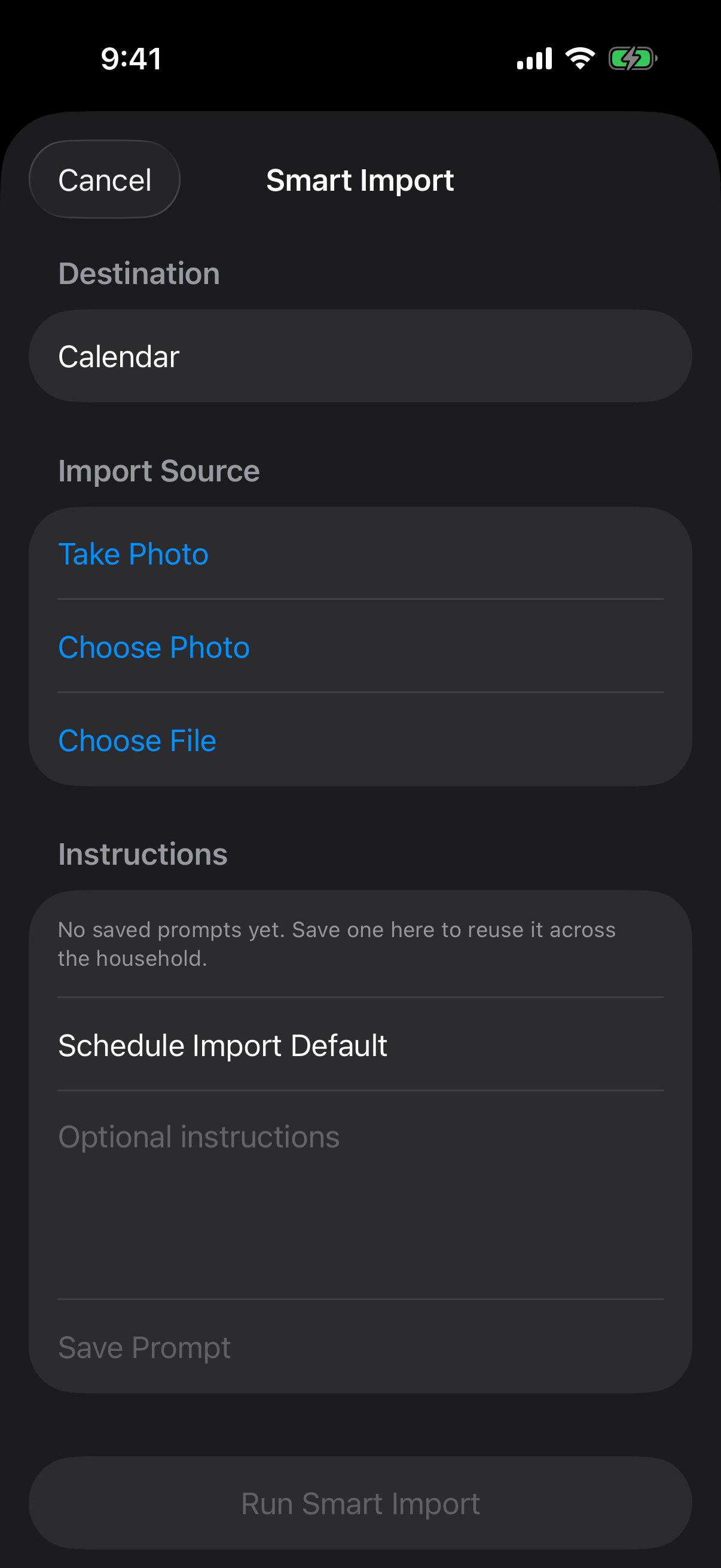
Turn school, sports, rehearsal, and activity schedules into editable calendar drafts with reusable prompts.
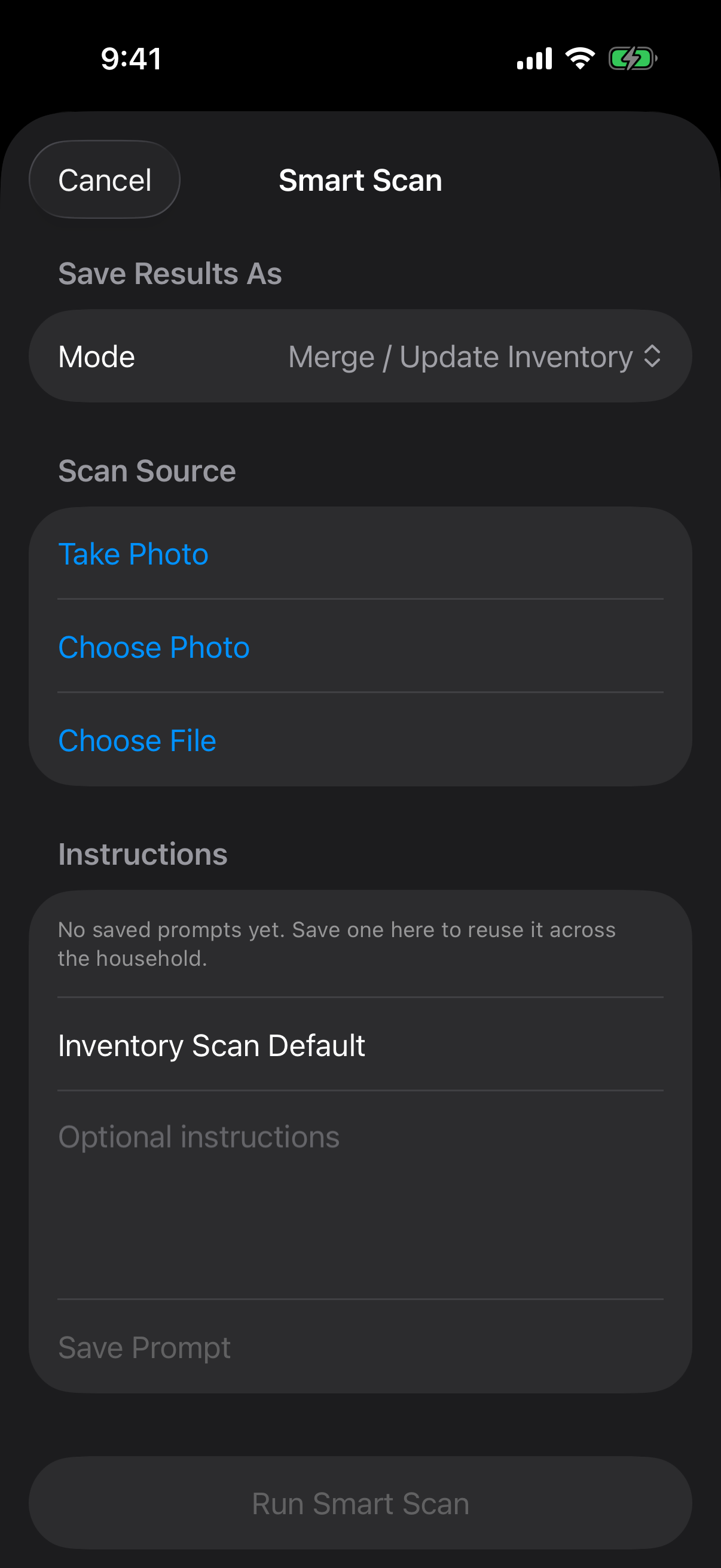
Use pantry and fridge photos to build inventory updates or shopping drafts instead of starting from scratch.
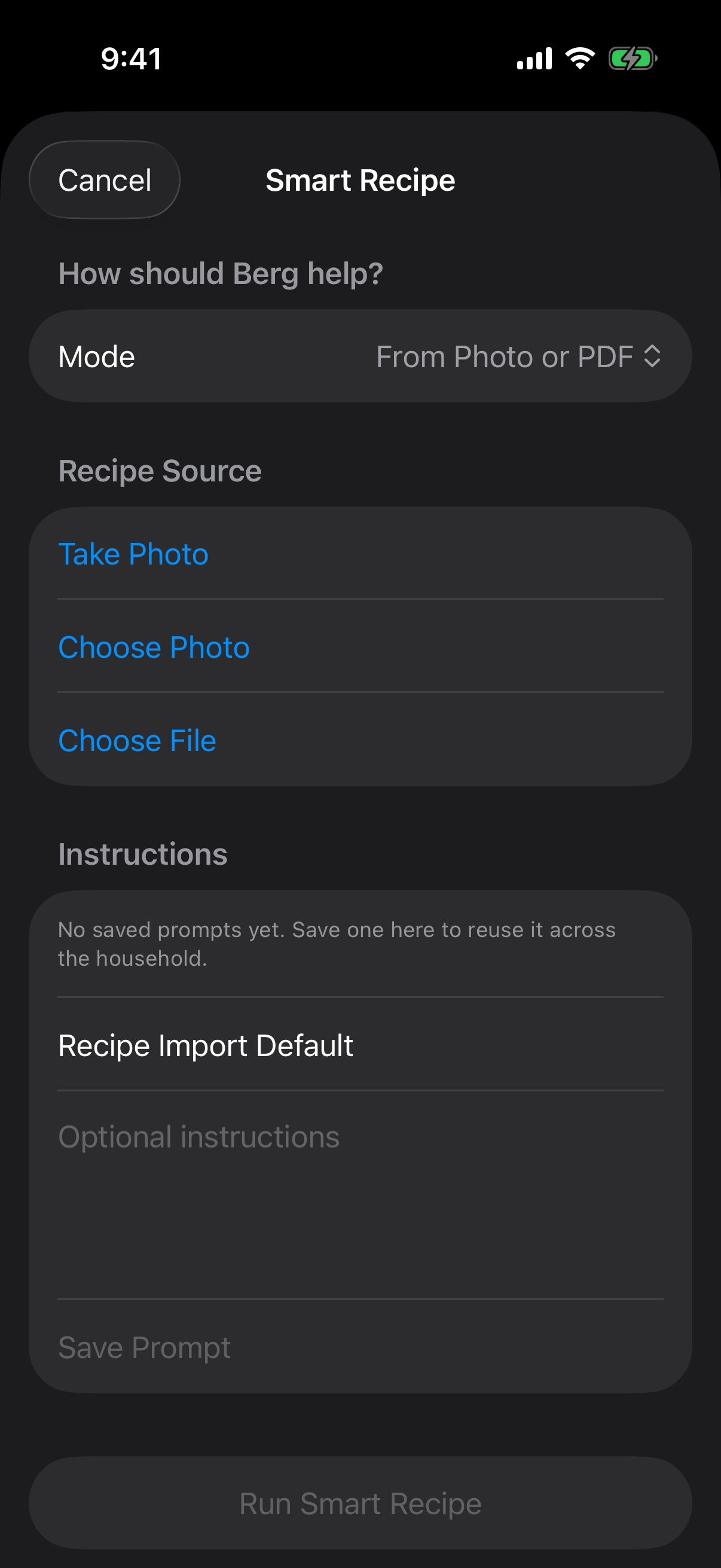
Convert recipe cards, screenshots, rough notes, and prompts into structured recipes your household can actually reuse.
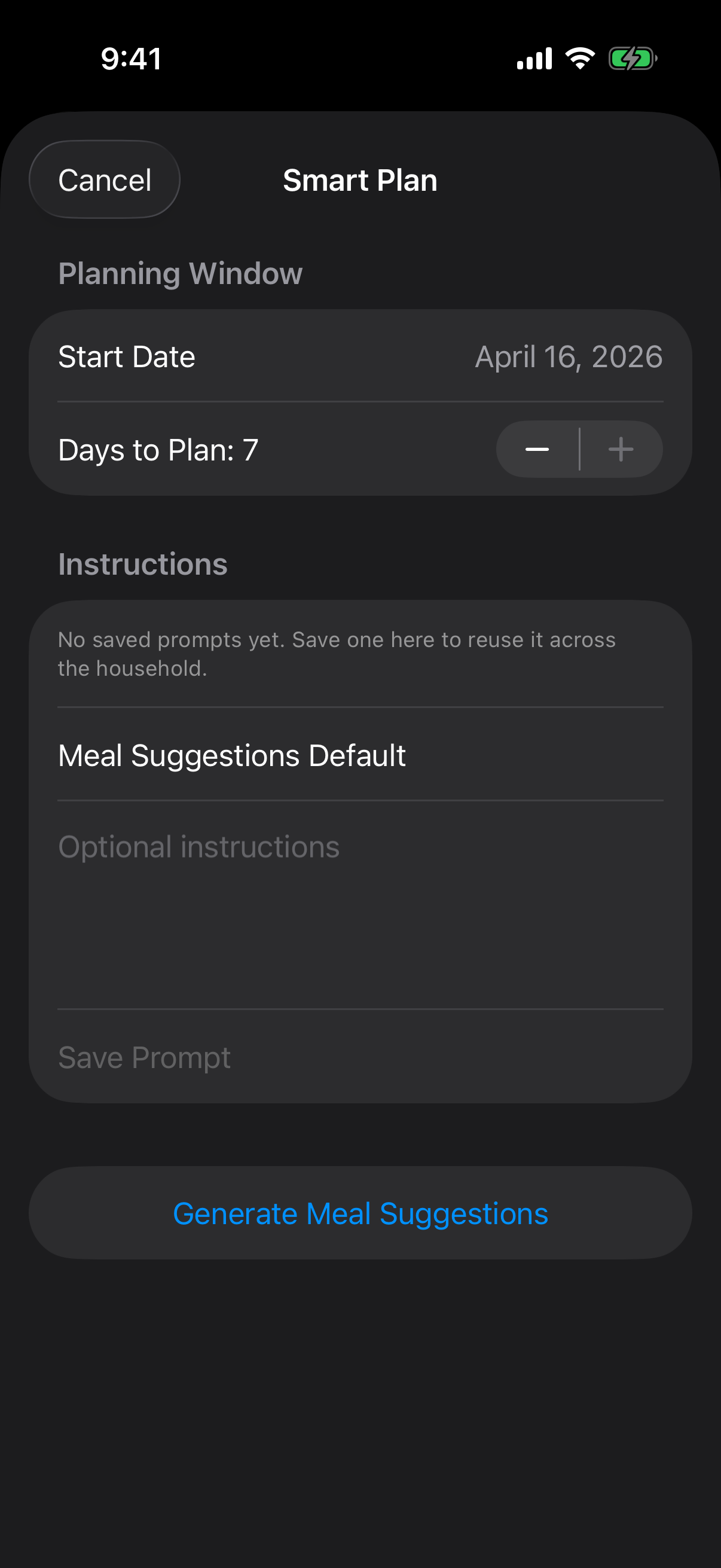
Generate meal suggestions for the week with customizable prompts, then review and edit before saving anything.
AI actions are admin-only. Family includes Smart Import, Smart Scan, Smart Recipe, and Smart Plan, subject to fair usage and anti-abuse limits.
The product tour below follows the real household workflows Berg is strongest at today: schedule capture, everyday follow-through, kitchen planning, and live location awareness.
Instead of retyping a season schedule by hand, admins can import a photo or PDF, tell Berg how to structure titles and notes, and confirm only the items they want saved.
Tap the phone to move from Smart Import into Calendar.
The app makes repeat responsibilities and follow-up easy to review at a glance instead of letting them vanish into texts or ad hoc notes.
Tap the phone to move between Chores and Reminders.
Food planning is already part of Berg, with a daily meal planner, a shared recipe library, inventory tracking, and Berg AI on Family that helps admins move from pantry photos or rough ideas to a usable plan.
Tap the phone to move through Meal Plan, Smart Scan, Smart Recipe, and Smart Plan.
Berg now includes a dedicated Money mode so parents can track child balances, review household transactions, set monthly budgets, follow savings goals, and manage allowance schedules without leaving the family app.
Tap the phone to move through Balances, Budget, Goals, and Allowance.
Berg includes an optional Locations area with a family map, saved places, route history, and in-app arrival or departure activity so planning and status can live together.
Tap the phone to move through the map, route history, places, and sharing controls.
Family gives household admins Berg's paid workflow in one plan: schedule imports, pantry scans, recipe tools, meal suggestions, iCloud and additional calendar sync, and live location.
Berg's AI tools only run when a household admin requests them, raw uploads are not retained after processing, and child location or profile-photo controls stay parent or guardian managed.
Join the waitlist if you want launch news, beta invites, and a heads-up when direct signups go live.
Waitlist signups are stored directly by Berg so we can review interest, send beta invites, and follow up on launch updates. If you prefer, you can email info@bergapp.net directly instead.
Start free with shared planning, meals, and one Google Calendar sync. Move to Family for Berg AI, schedule scanning, sync, and live location.
Start with Berg’s shared organizer, one Google Calendar sync, meal planning, and money tools before deciding whether your household needs paid depth.
The main paid tier for households that want iCloud or additional calendar sync, Berg AI for admins, and a 7-day household history window.
AI actions are admin-only. Family includes Smart Import, Smart Scan, Smart Recipe, and Smart Plan, subject to fair usage and anti-abuse limits. Raw uploads for Smart Import, Smart Scan, and Smart Recipe are not retained after processing.
The current product foundation centers on shared calendar, chore tracking, shopping lists, reminders, household onboarding, the Meals workspace, Money mode, live location sharing, and saved places. Free includes one Google Calendar sync. Family includes iCloud and additional calendar sync plus Berg AI for admins, live location, and a 7-day household history window.
Yes. Smart Import is built for photographed or uploaded schedules, including school calendars, sports handouts, rehearsal sheets, camp schedules, clubs, and other activity PDFs. Berg returns editable drafts first, so an admin can review, change, or discard items before saving them.
Admins can save instructions for how recurring schedule formats should be read, how titles should be written, and what details should land in notes. That makes repeated imports faster and more consistent.
Berg is aimed first at iPhone-first households that want one place for planning, chores, lists, meals, live family location, and AI help that fits directly into everyday household workflows.
Web annual pricing is the lower direct-purchase option through Stripe Checkout. App Store pricing remains available for households that prefer Apple in-app purchase on iOS.
Direct web subscriptions are designed to run through Stripe Checkout, with ongoing billing management routed through Stripe Customer Portal. On iOS, in-app purchases can still be handled through Apple.
Explore pricing, read the docs, and see how Berg combines shared planning, practical AI, meals, and live location inside one focused family app.